
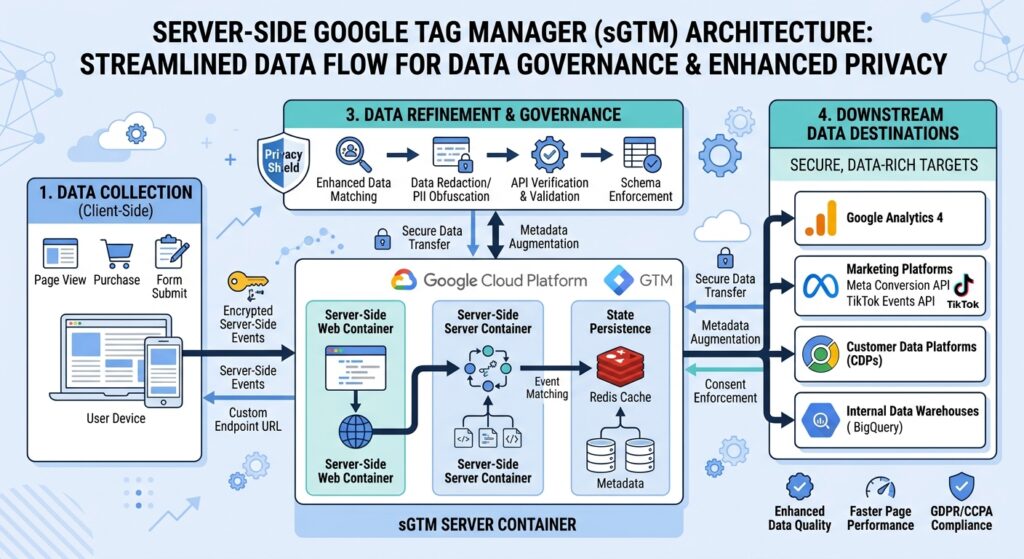
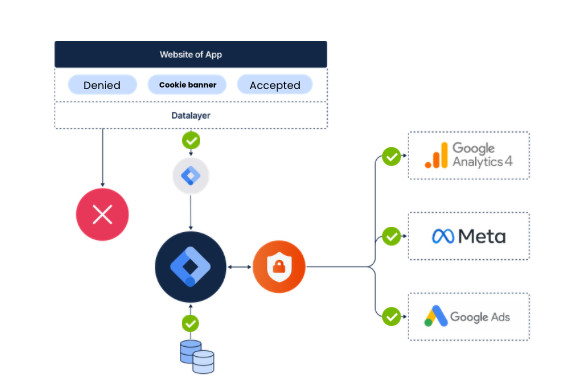
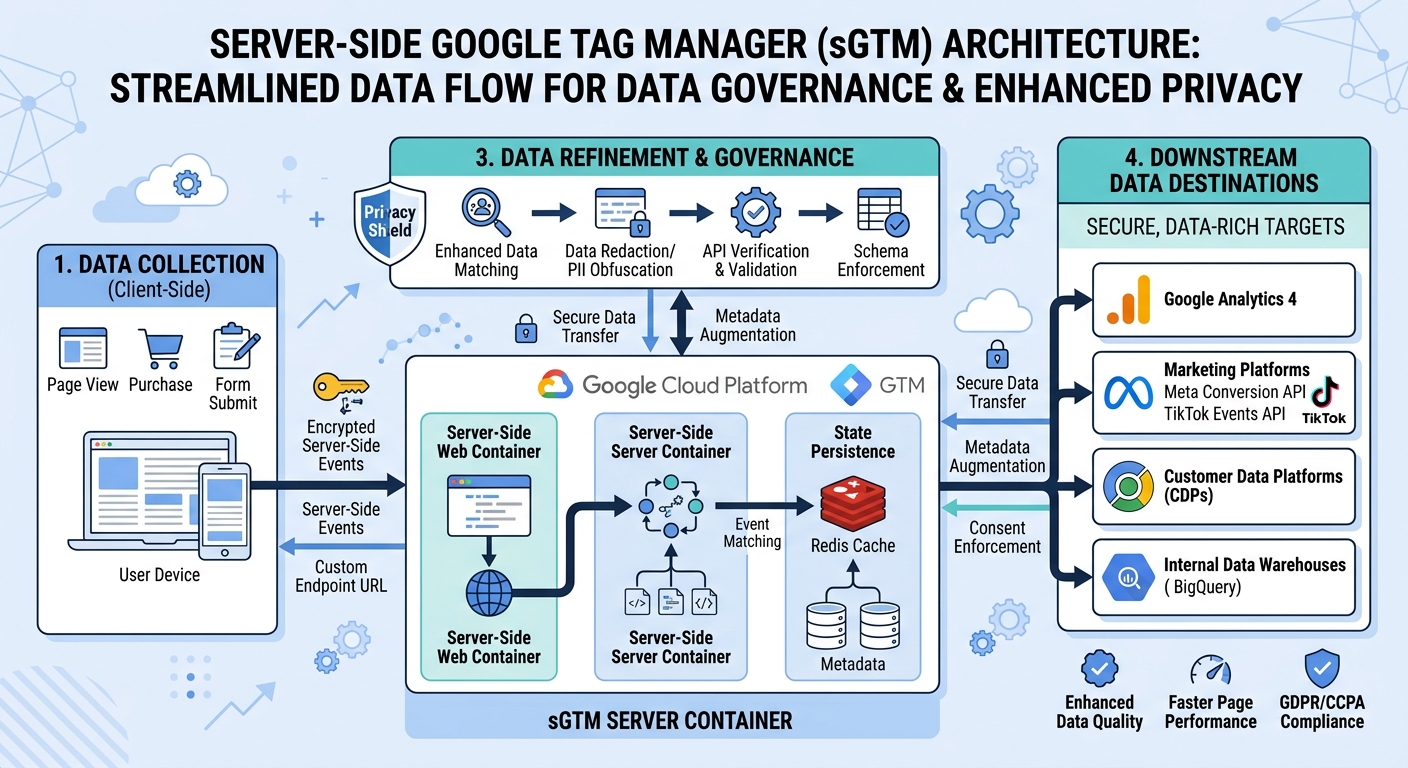
Ask most marketers why they’re moving to server-side tagging (sGTM), and they’ll give you the standard answer: to collect more data. They want to bypass ad blockers, extend cookie lifespans, and recover lost conversions. But focusing solely on harvesting more data misses the most powerful capability of server-side tagging, namely controlling who gets to see what. In addition, sGTM is a way to ensure data privacy of your visitors. Instead of letting external vendors (e.g. Meta, Pinterest and so on) harvest whatever they want, sGTM routes every interaction through a server container hosted on your own custom domain. You get to decide what data these platforms can have access to. Thus, how do you actually turn your setup into an unbreachable data vault without breaking your marketing performance? Read more to find out!
Reclaiming full data governance through server-side tagging
In a traditional client-side Google Tag Manager, third-party JavaScript runs directly in the browser. For instance, I have seen e-commerce platforms that have order confirmation pages with PII-information, such as email, in the URL. You are essentially handing personal information on a silver platter to ad networks. Google Analytics will redact this data, but marketing tags will scrape this data. These problems are often overseen. Here are three ways to ensure the data privacy of your visitor, whilst maximizing ad performance.
PII removal
URLs, search queries, and form submissions frequently leak personal details into payloads. For instance, the order confirmation page https://www.example.com/thank-you?email=user@domain.com can be scraped by ad vendors, which they use as a way to match user activity back to specific accounts.
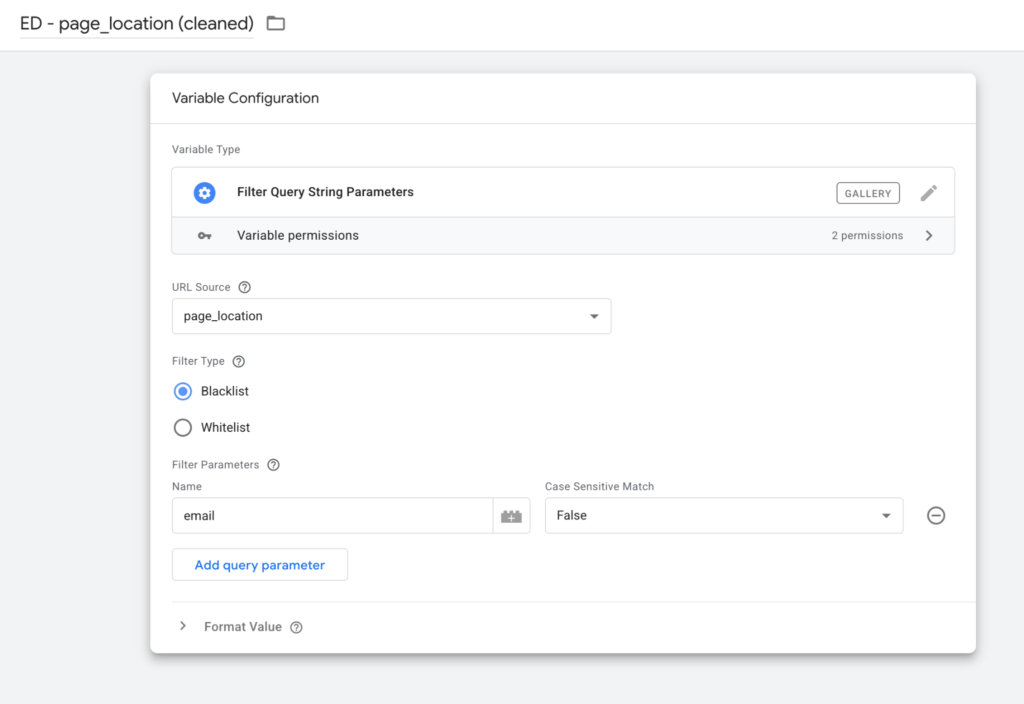
In sGTM, you can eliminate this exposure by setting up a transformation. First, create a RegEx Table that reads out the page_location parameter. Here you can replace queries such as email. There are also variables in the Community Template Gallery who can automatically strip these queries for you:
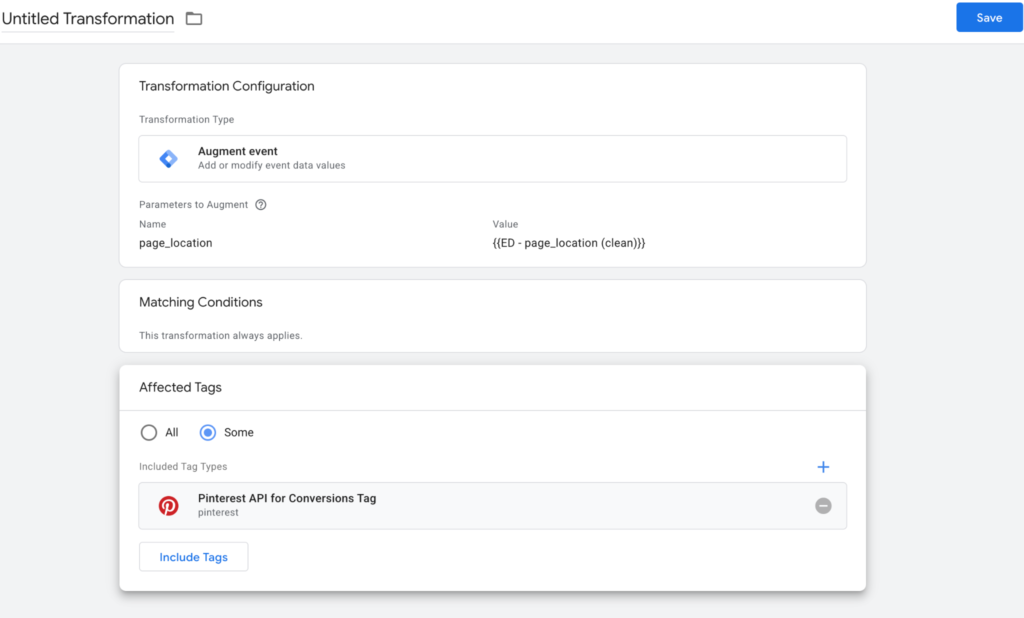
Next, apply an augment event transformation to replace the original page_location string with the cleaned page_location:
IP anonymization
Another way to ensure the data privacy of your visitor is to mask their IP-address. Various server-side tracking tools, such as TAGGRS, offer the possibility to enable IP anonymization in their interface. Easy, right?

However, if you want to do it through sGTM, the best option is to save the IP-address as an event data parameter (ip_override) and make a transformation:
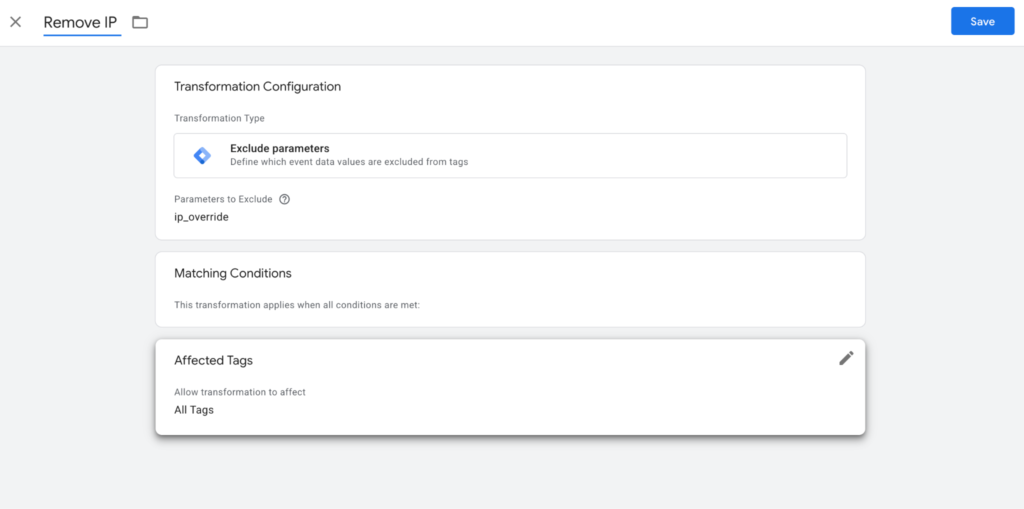
Under Affected Tags, you can specify which vendor tags are restricted from receiving the user’s real IP address via ip_override. In most real-world use cases, this means preventing third-party ad networks, such as Meta, Pinterest, or TikTok from reading .
If you want to exclude IP addresses from GA4, then you can set Redact visitor IP address on ‘true’. Note that your reports will not include any geographical information.
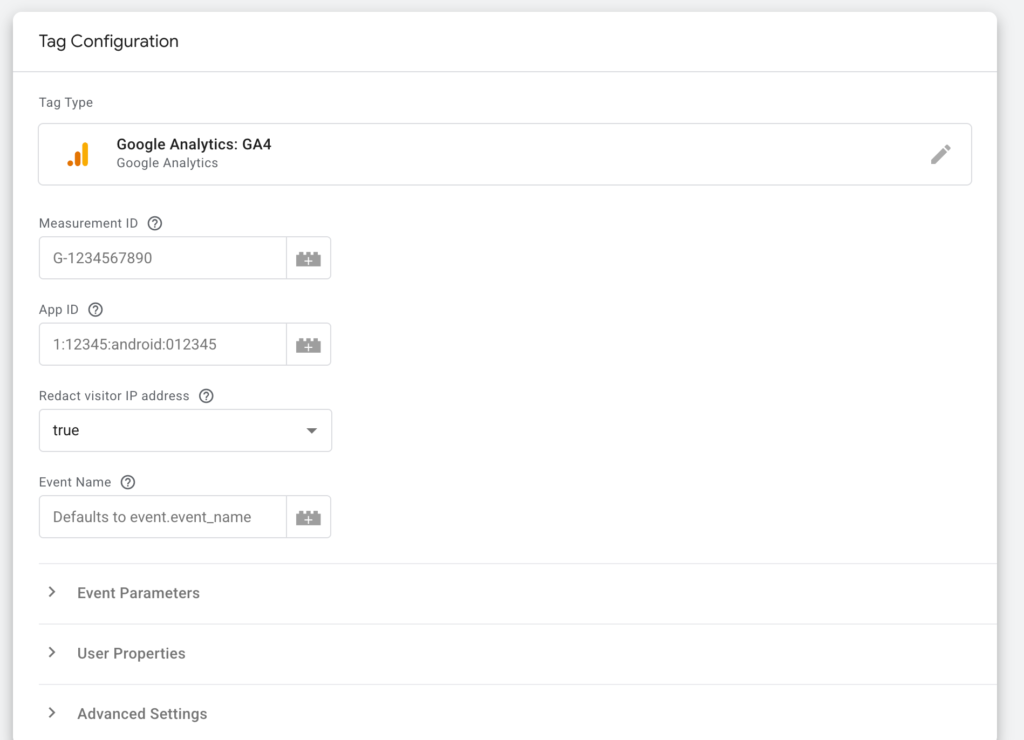
Granular region-specific settings
Removing IP addresses to comply with GDPR often leaves analytics platforms completely blind to where your visitors (and conversions) are coming from. By leveraging server-side enrichment headers (such as X-GEO-Country, X-GEO-City, and X-GEO-Region provided by hosting platforms like TAGGRS), sGTM can solve this trade-off:

These headers can be saved into a variable:
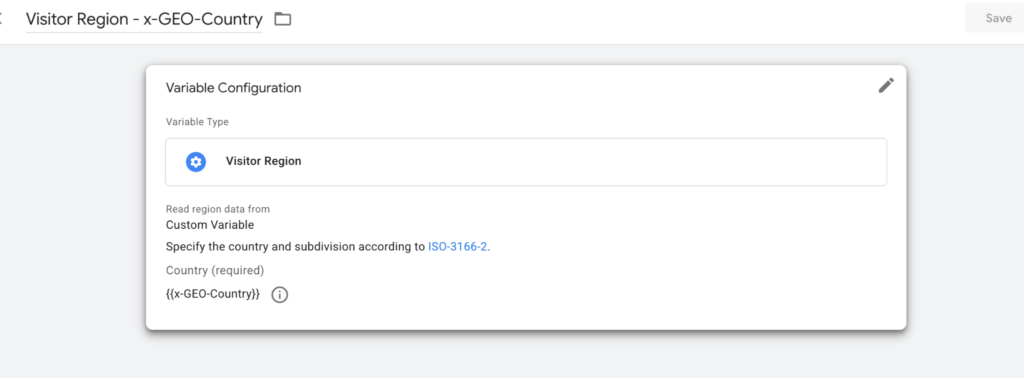
The server container reads the visitor’s location directly from incoming HTTP headers, enabling you to capture country and regional data before stripping out IP addresses. You can easily comply with strict regulatory mandates, like France’s CNIL guidelines, while still giving your marketing team the geographic insights they rely on.
Next steps
While this list is far from exhaustive, it provides a solid foundation for reclaiming data control. Adopting server-side Tag Manager isn’t a project with a clear end. It requires continuous oversight, ongoing alignment with privacy regulations like GDPR and CCPA, and regular testing as marketing stacks grow.



 Nederlands
  English